
Android Phone & Tablet Setup Guide
Download & Install the Recommended Android Player for Your Phone or Tablet
Watch Logan Vision IPTV on your Android phone or tablet in just a few minutes. Download the recommended player, sign in with your Logan Vision account, and start streaming live TV, movies, and series wherever you are.
Recommended App: XCIPTV Player
What You'll Do
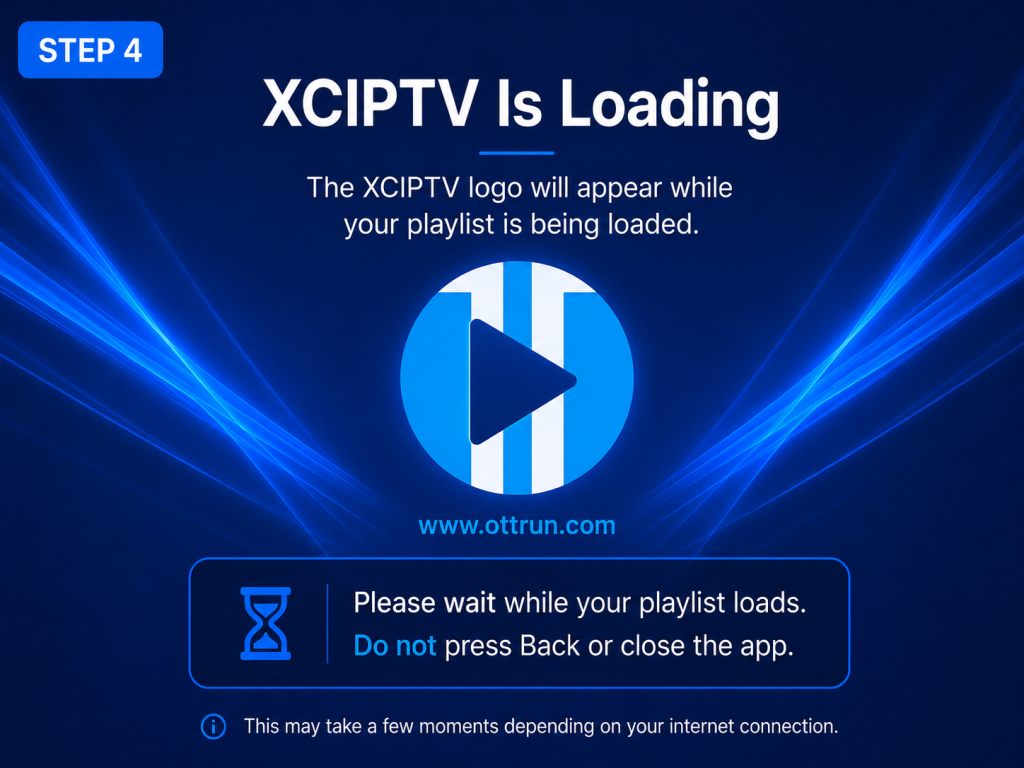
Follow the steps below to install the recommended player, enter your Logan Vision account information, and start watching on your Android phone or tablet.
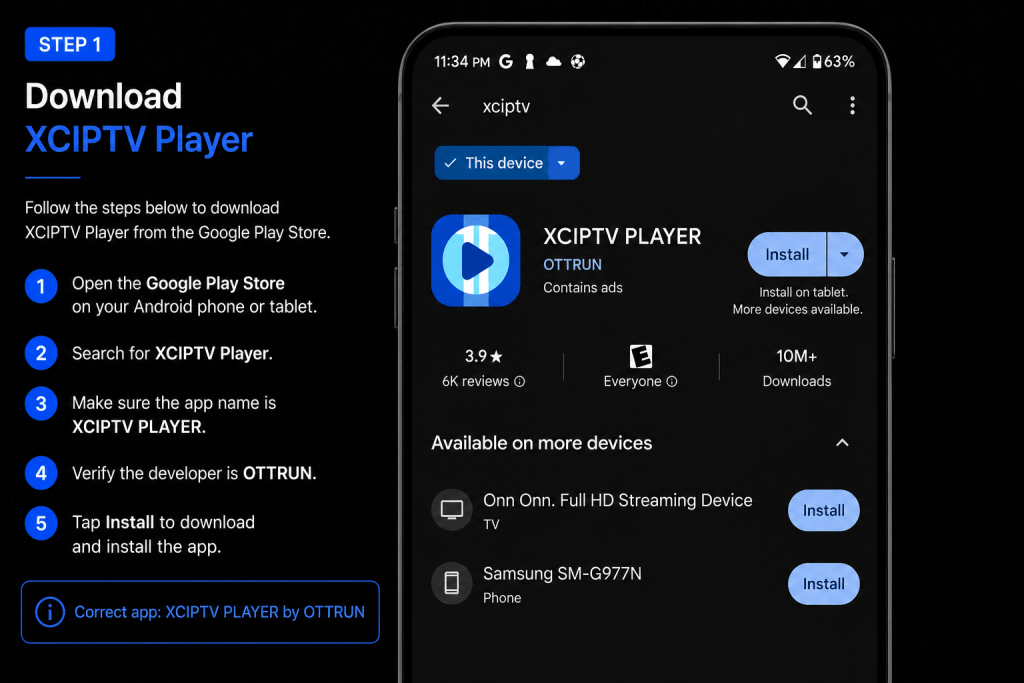
- Download XCIPTV Player from Google Play
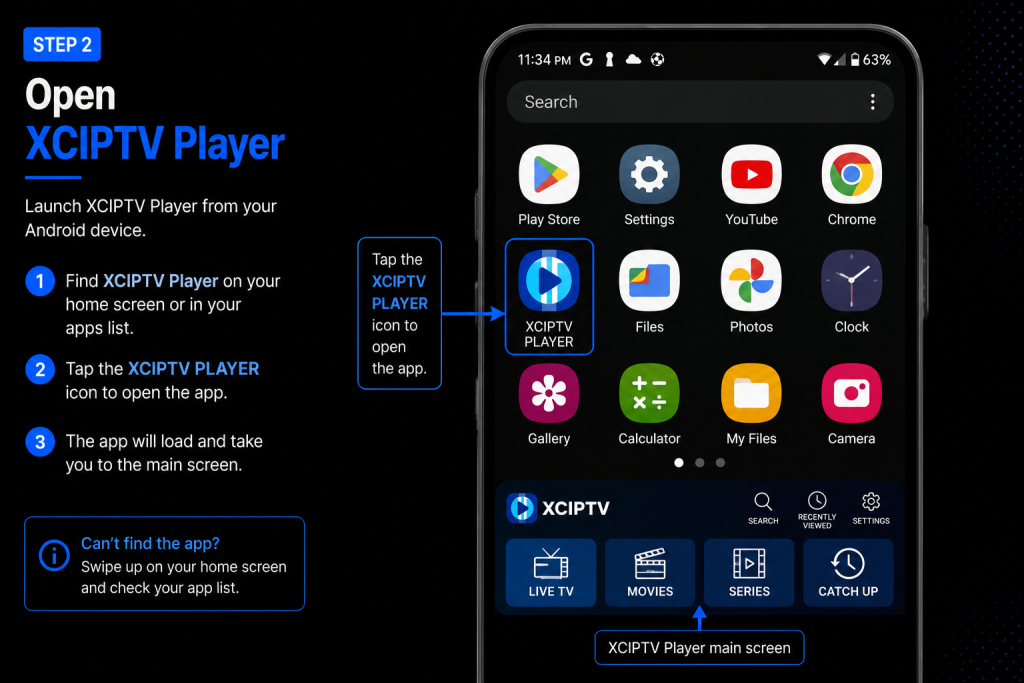
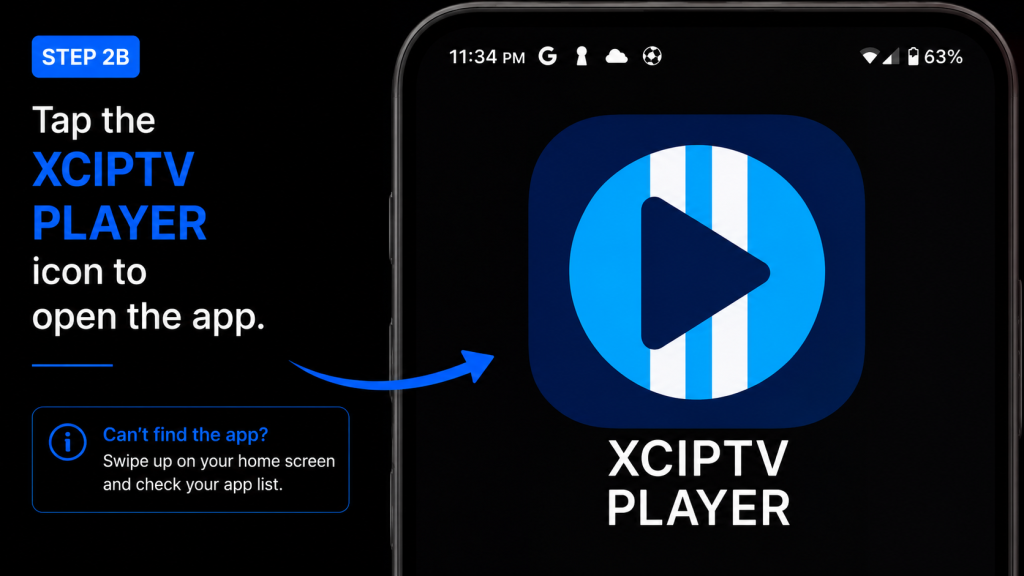
- Install the app on your Android device
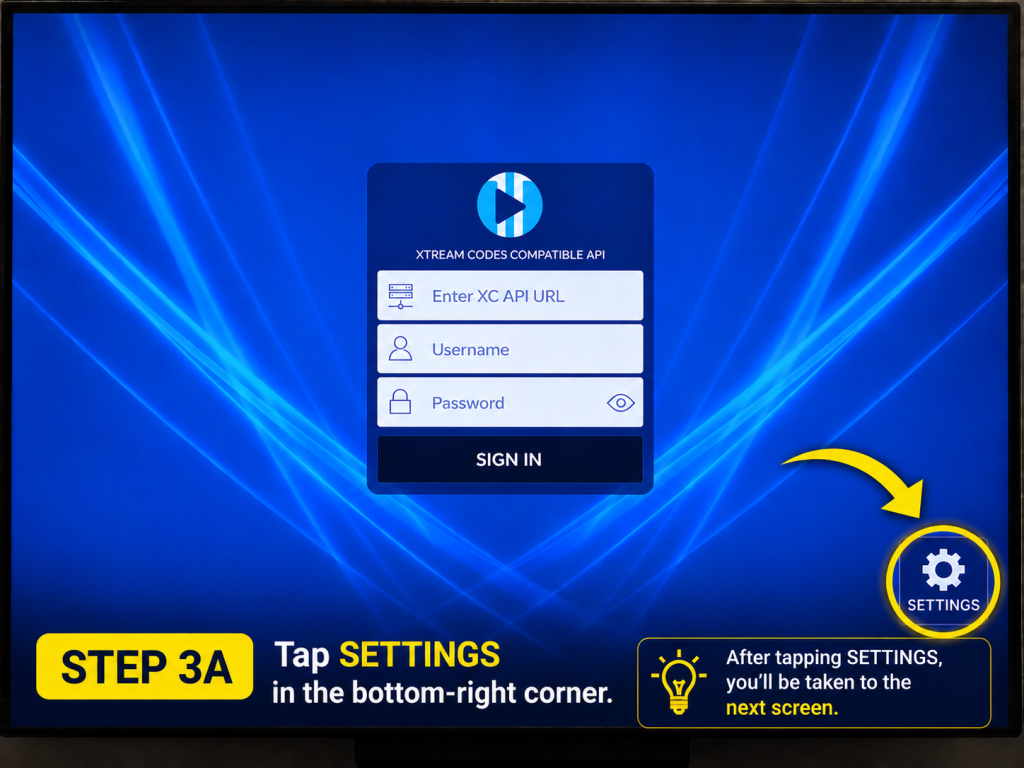
- Select Xtream Codes API
- Enter your server URL, username, and password
- Sign in to your Logan Vision account
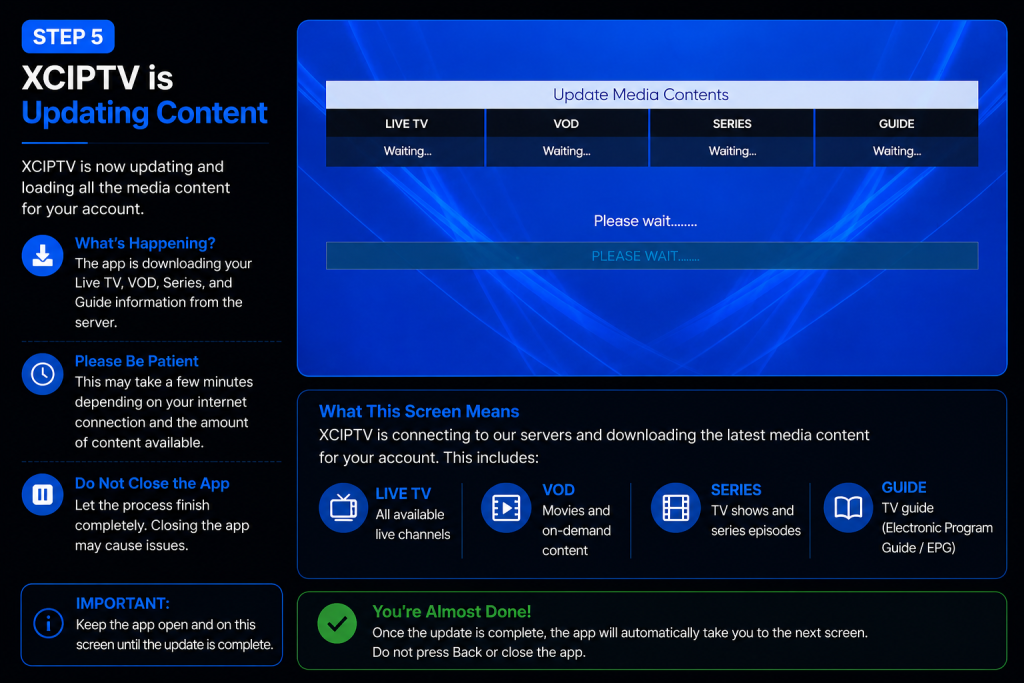
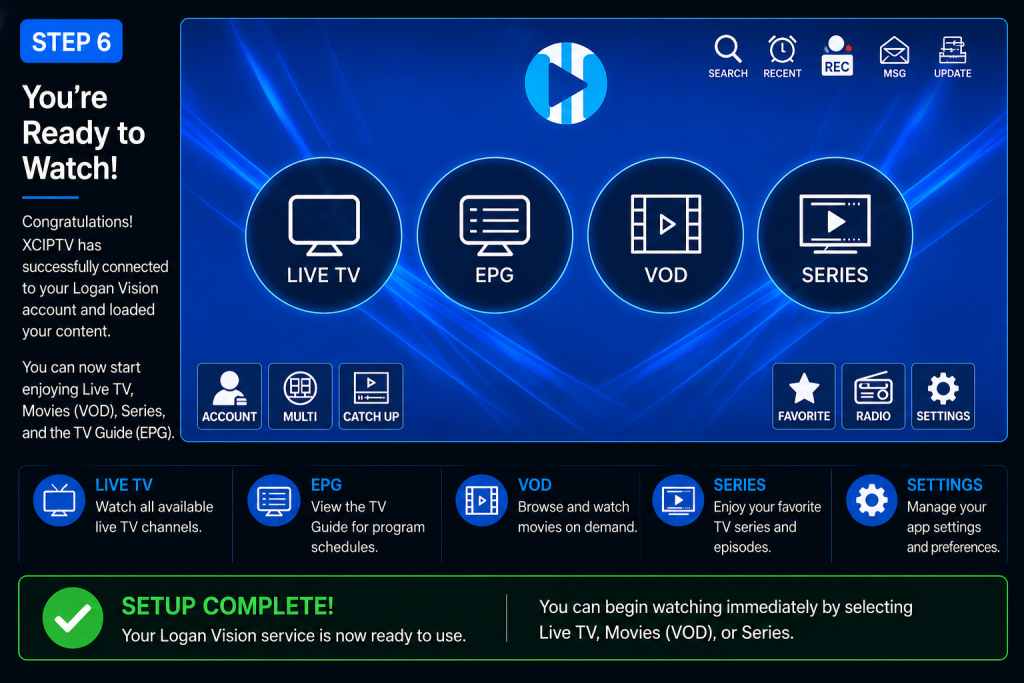
- Watch Live TV
- Access Movies & Series
- Refresh the TV Guide (EPG)
Android Phone & Tablet Setup FAQs
Yes. Logan Vision works on most Android phones and tablets. Simply install a compatible player, sign in with your Logan Vision account, and start streaming live TV, movies, and series.
Download XCIPTV Player directly from the Google Play Store using the link provided on this page.
You’ll need the Username and Password from your Logan Vision activation email. Enter those credentials into the player to connect your service.
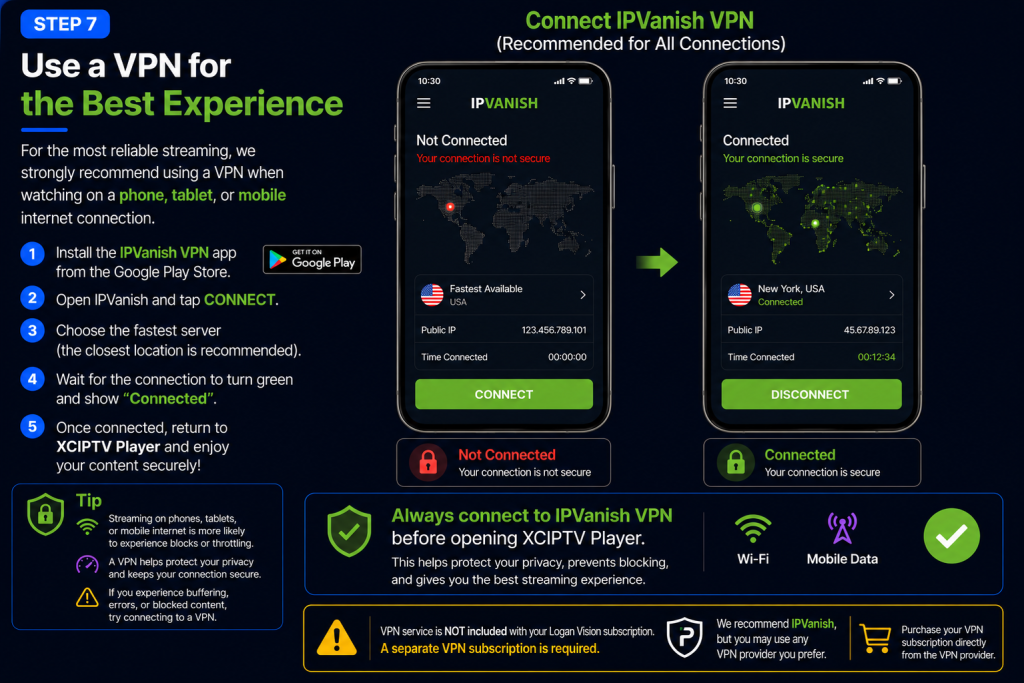
Yes. Logan Vision works on both Wi-Fi and mobile data. Depending on your mobile carrier or internet provider, you may need to use a VPN for the best streaming experience.
Most home Wi-Fi networks work without one. However, customers using AT&T, T-Mobile, Starlink, or Verizon Fios—or those streaming over mobile data—may need a VPN. Follow Logan Vision’s VPN guidance if you experience buffering or connection issues.
Double-check your username and password exactly as they appear in your activation email. If you’re still having trouble, visit the Logan Vision Support Center or contact support for assistance.
Yes. Logan Vision supports other compatible IPTV players, but XCIPTV Player is our recommended app because it provides the setup experience shown in this guide.
No. XCIPTV Player is a free app that you download separately. Your Logan Vision subscription provides the streaming service and login credentials.
Yes. Depending on your subscription, you may be able to use Logan Vision on multiple compatible Android phones and tablets. The number of simultaneous devices depends on the number of connections included with your subscription. If you’re unsure how many connections your account includes, contact Logan Vision Support.
Visit the Logan Vision Support Center for additional setup guides, troubleshooting tips, and the latest service updates. If you still need assistance, contact Logan Vision Support.
While Logan Vision works with several compatible IPTV players, we recommend XCIPTV Player because it offers a simple setup process, an easy-to-use interface, and reliable performance on most Android phones and tablets. If you already use another compatible player, you may continue using it. However, all screenshots and instructions in this guide are based on XCIPTV Player to provide a consistent setup experience.
Yes. Logan Vision works with several compatible IPTV players. We recommend XCIPTV Player because it provides a reliable and consistent experience for most customers, but you can use another compatible player if you prefer. Keep in mind that the screenshots and instructions in this guide are based on XCIPTV Player, so other apps may look different even though the setup process is similar.
🎉 You're All Set!
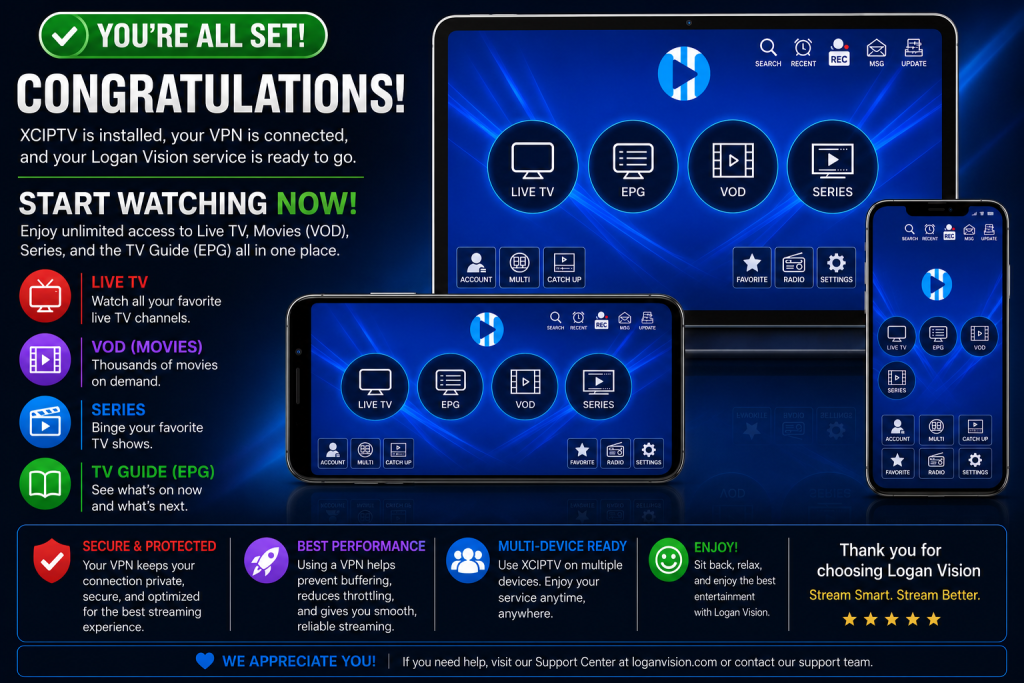
You’re all set! Your Logan Vision service is ready to stream on your Android phone or tablet.
For the best streaming experience, we recommend connecting to your IPVanish VPN before watching, whether you’re on Wi-Fi or Cellular.
Need Help?
If you experience buffering, login issues, or missing channels, visit the Logan Vision Support Center.