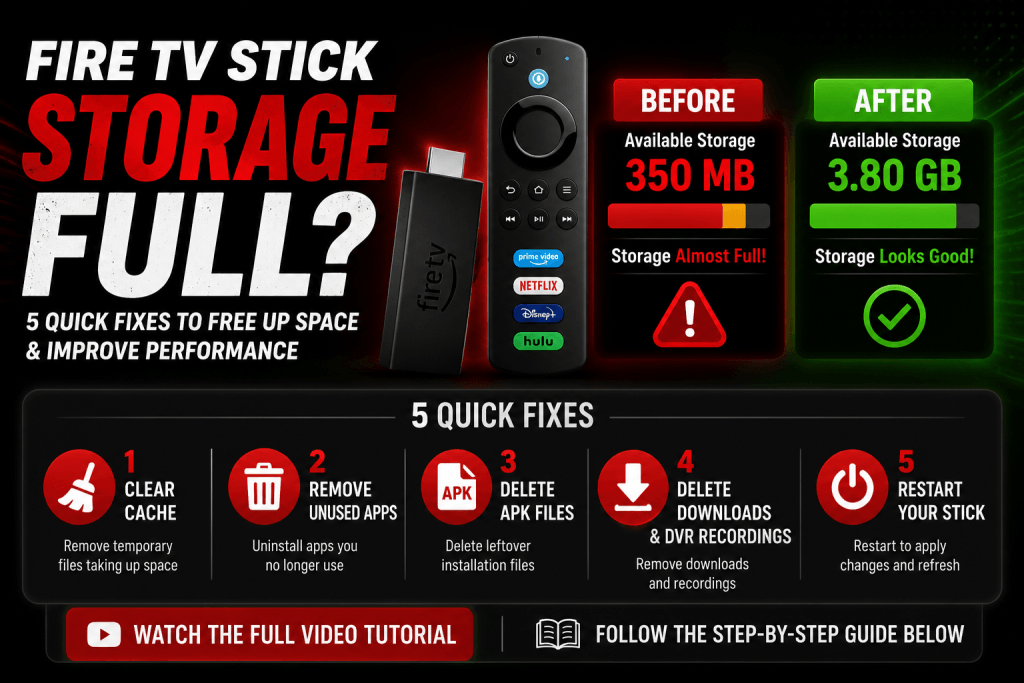
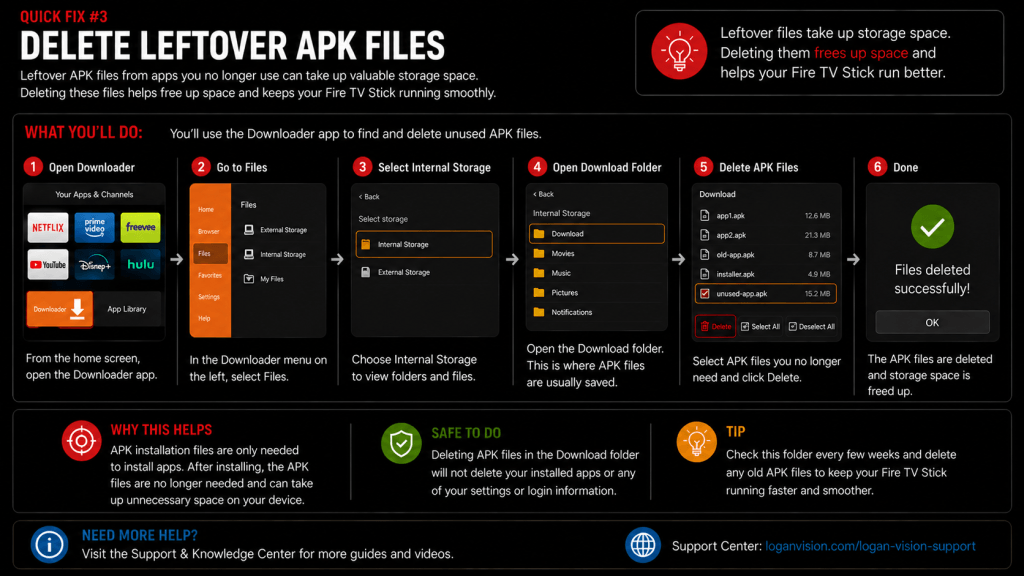
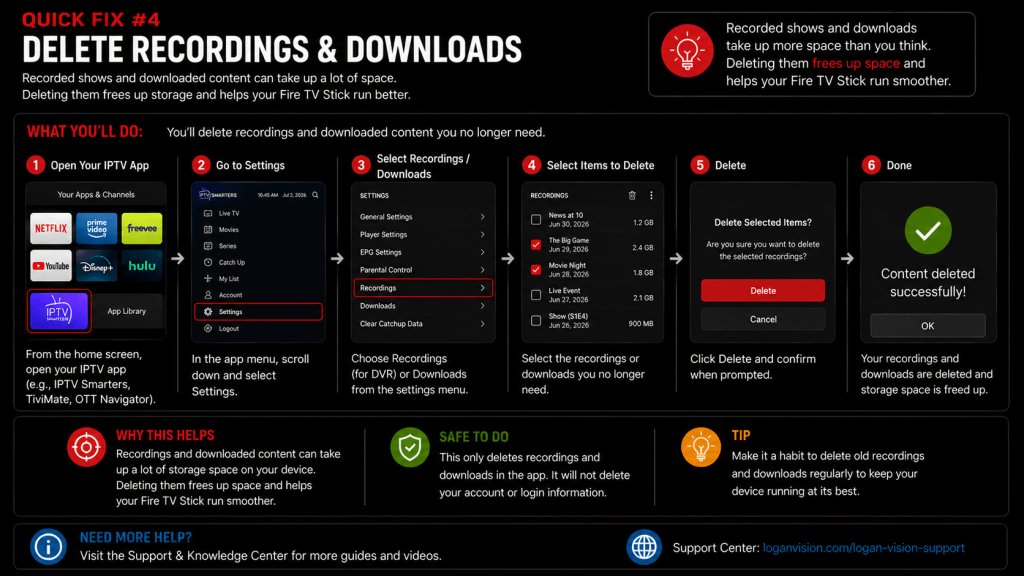
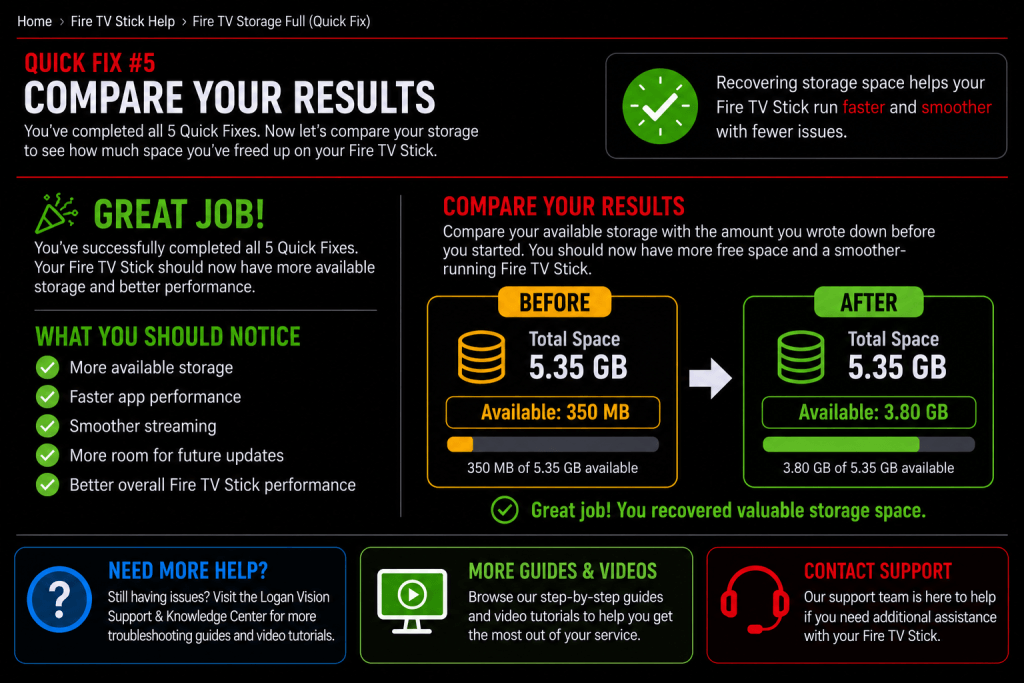
5 Quick Fixes to Free Up Space & Improve Performance
Is your Fire TV Stick showing a “Storage Full” message or running slower than usual?
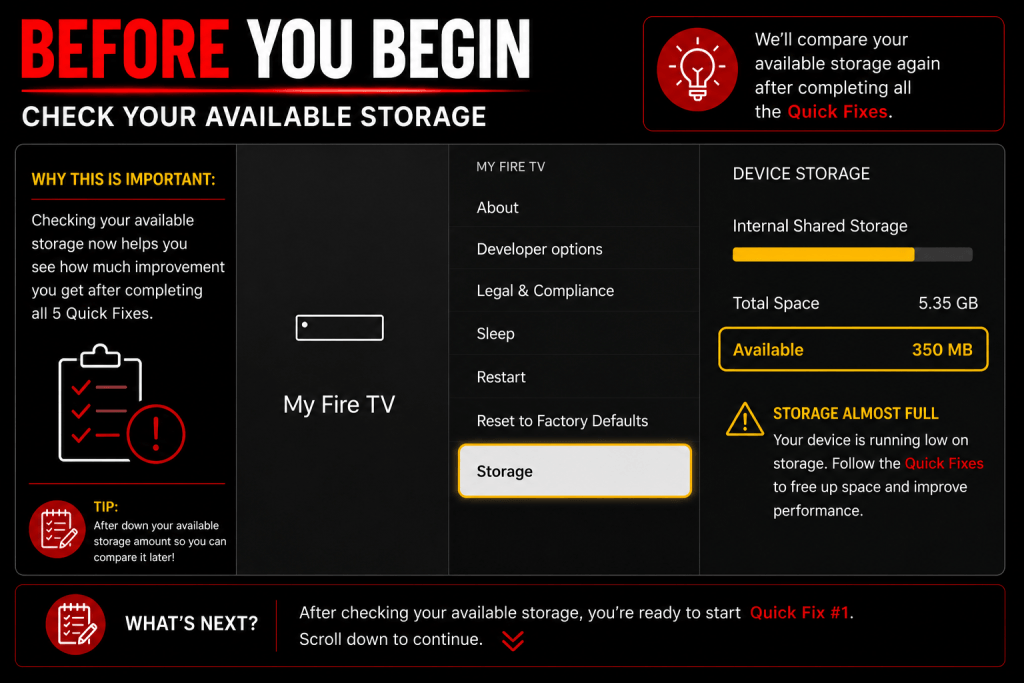
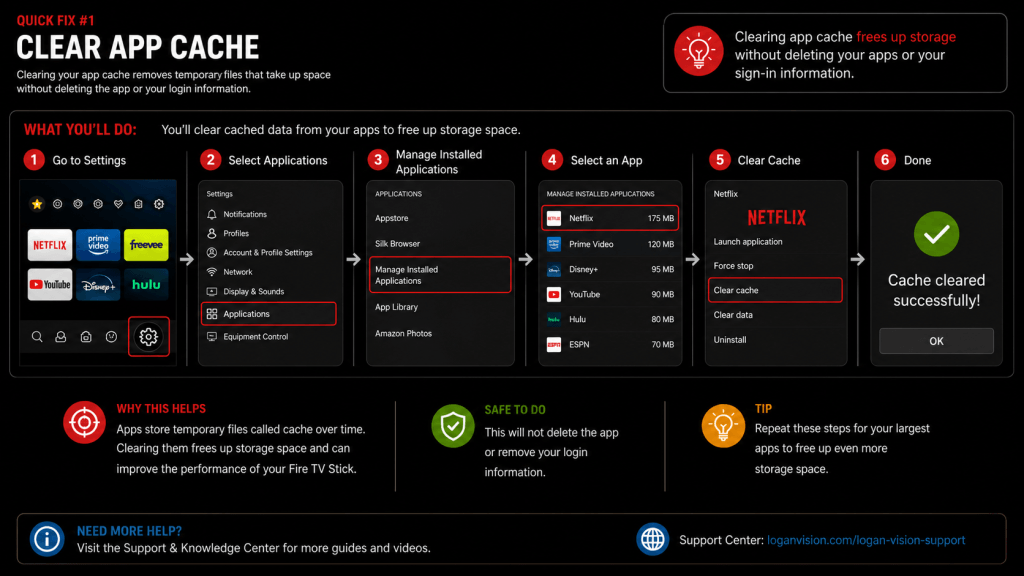
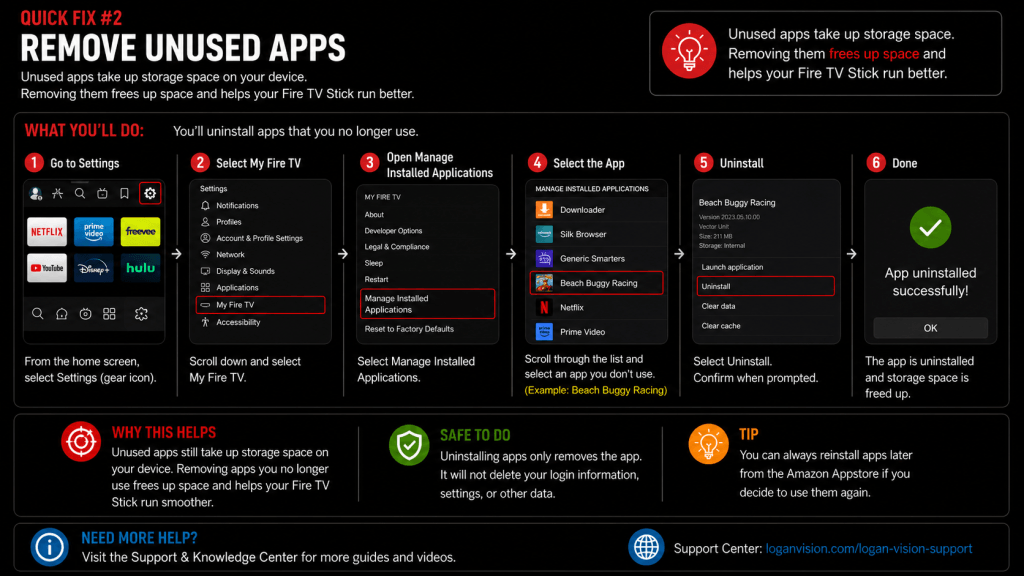
This step-by-step guide will walk you through five proven Quick Fixes to help free up storage, improve performance, and get your Fire TV Stick running smoothly again.
Follow along with the video below, then use the written guide and images to complete each step at your own pace.