
PREMIUM STREAMING. MADE SIMPLE.
PREMIUM STREAMING. MADE SIMPLE.
Fire TV Stick Setup is quick and easy with Logan Vision. Follow this step-by-step guide to install the app using the Downloader app, sign in with your account, and start streaming live TV, movies, and TV shows in just a few minutes.
This Fire TV Stick Setup guide walks you through downloading the app, enabling the required settings, signing in to Logan Vision, and starting live TV, movies, and TV shows on your Amazon Fire TV Stick.
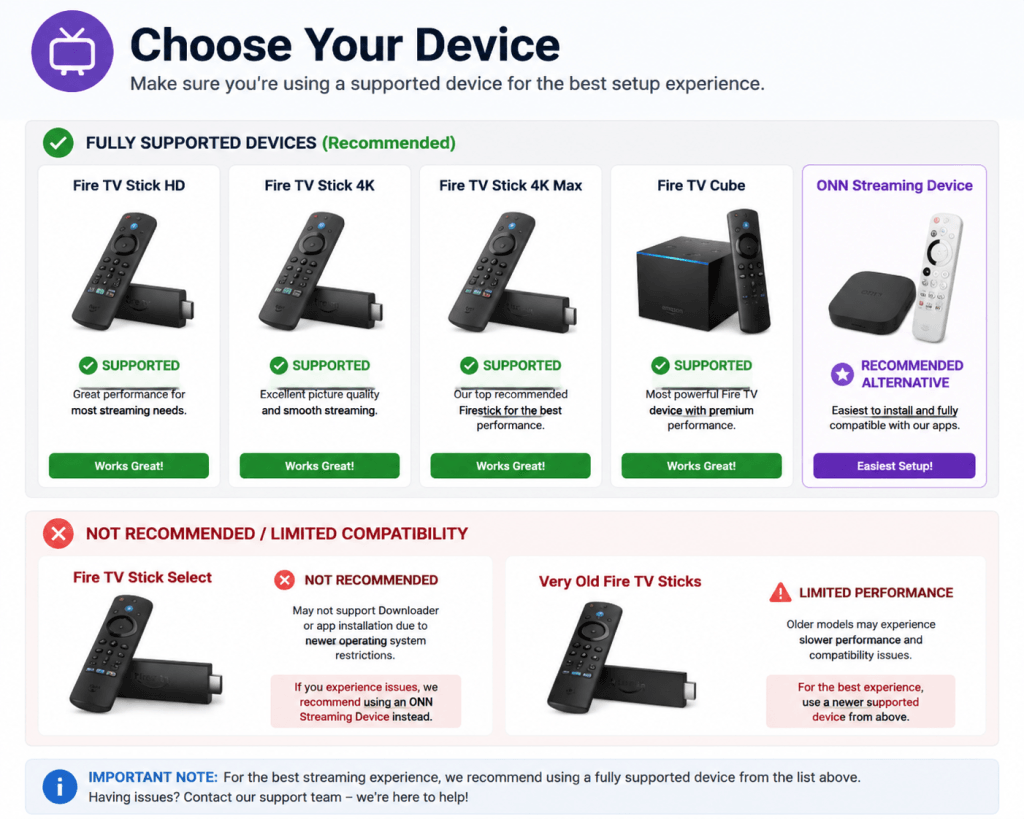
Choose your device above before starting setup
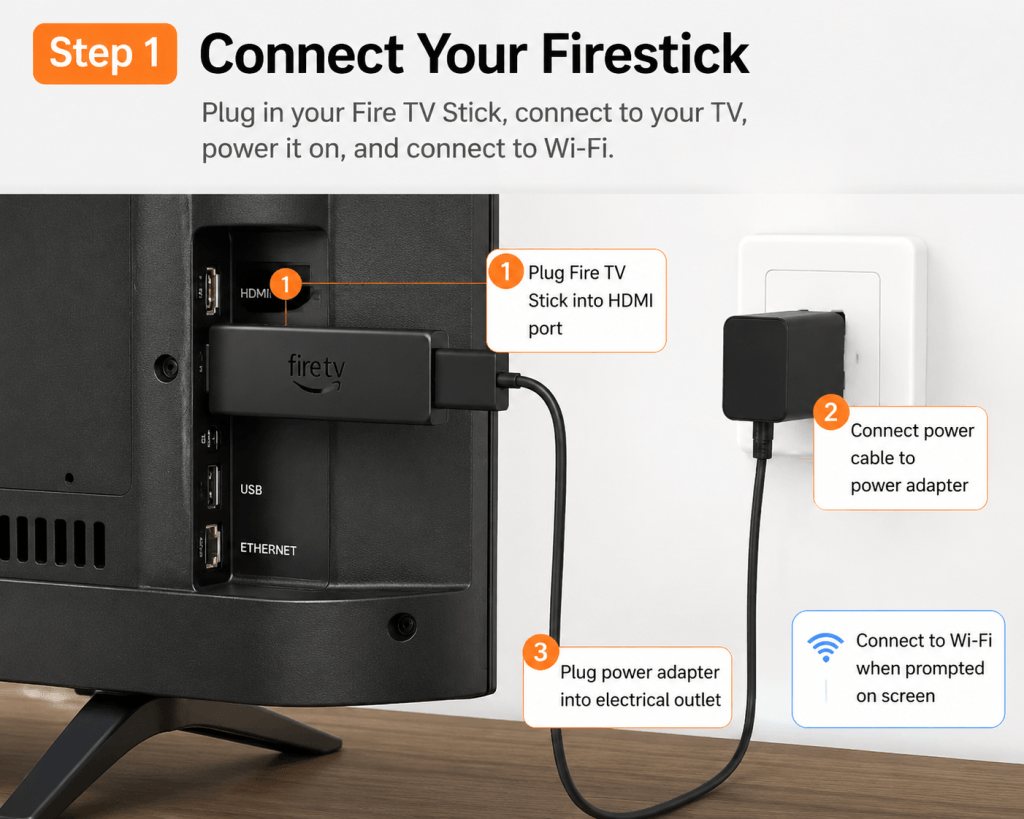
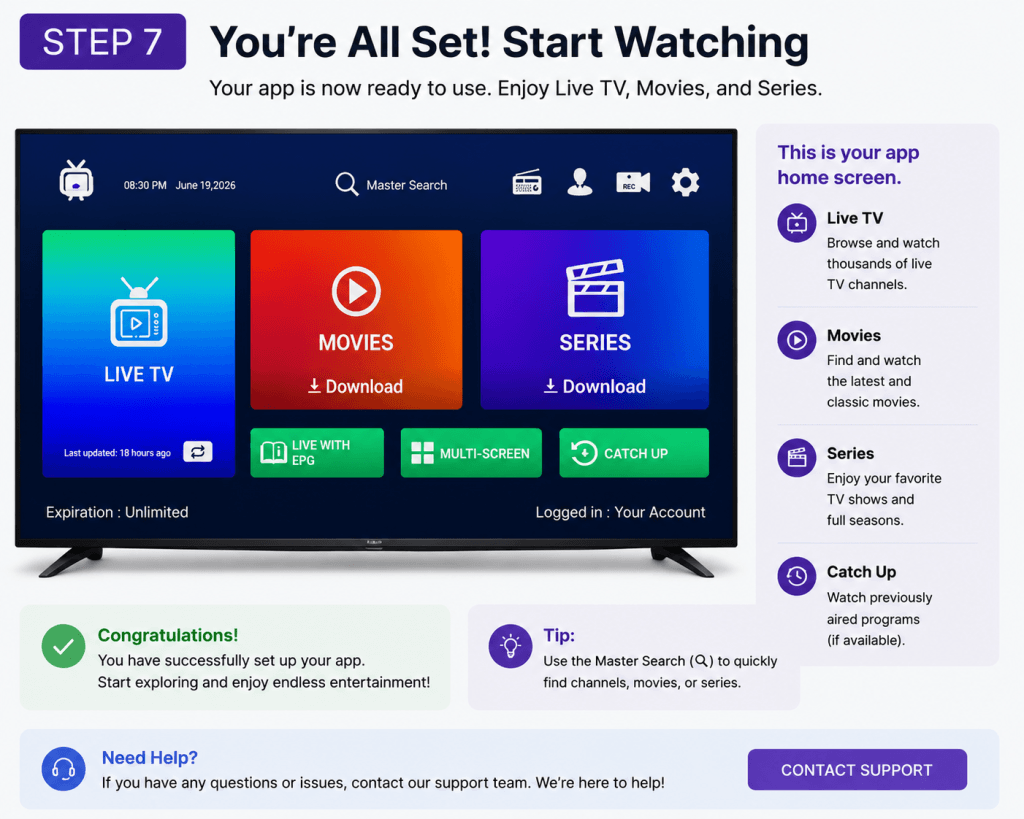
Follow along as we walk through the complete Firestick setup process—from connecting your device to logging in and starting your streaming experience in just a few minutes.
Plug into:
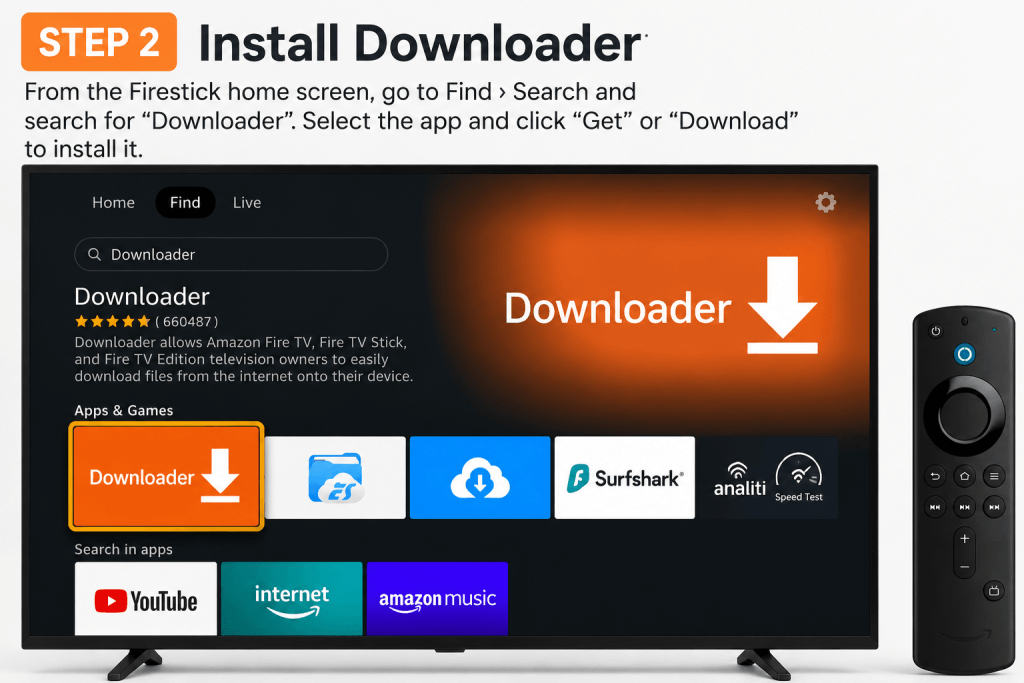
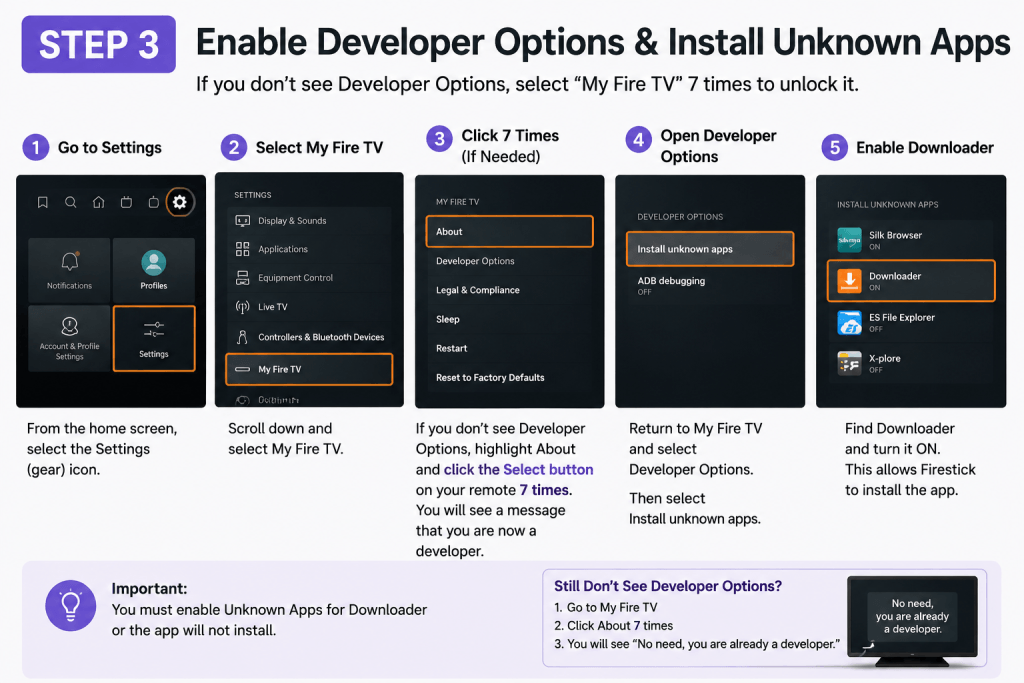
Search and install Downloader from Amazon App Store.
Go to:
Settings → My Fire TV → Developer Options
If you don’t see Developer Options, click ‘About’ and press OK 7 times to unlock it
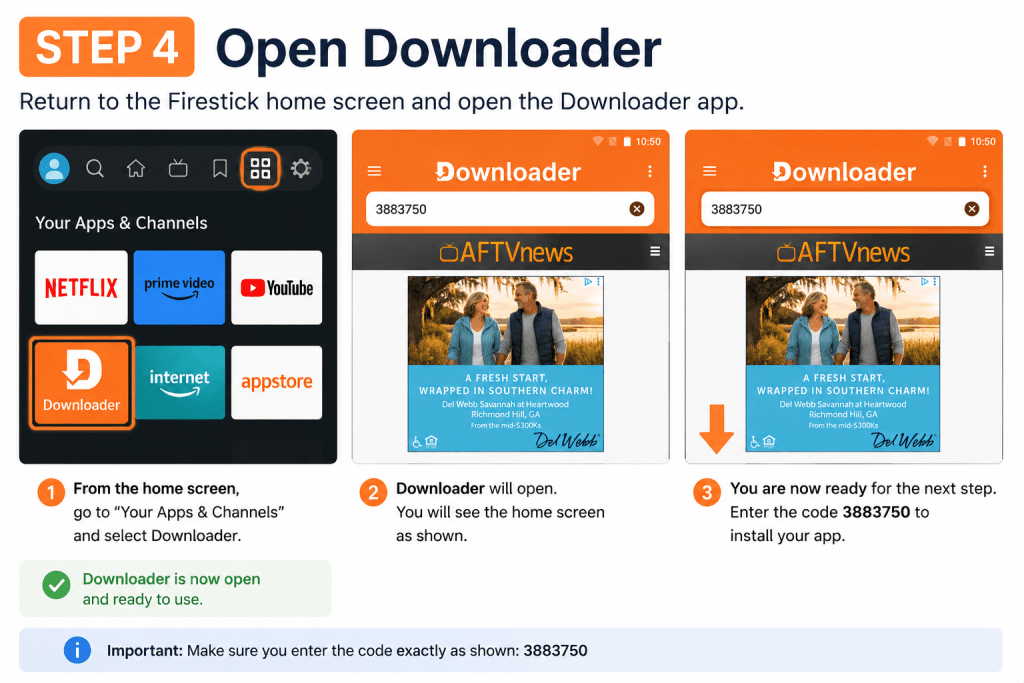
Launch Downloader app.
🔑 3883750
This installs Generic Smarters.
If you are using a different app (TiviMate or others), use this Portal URL: http://kytv.xyz”
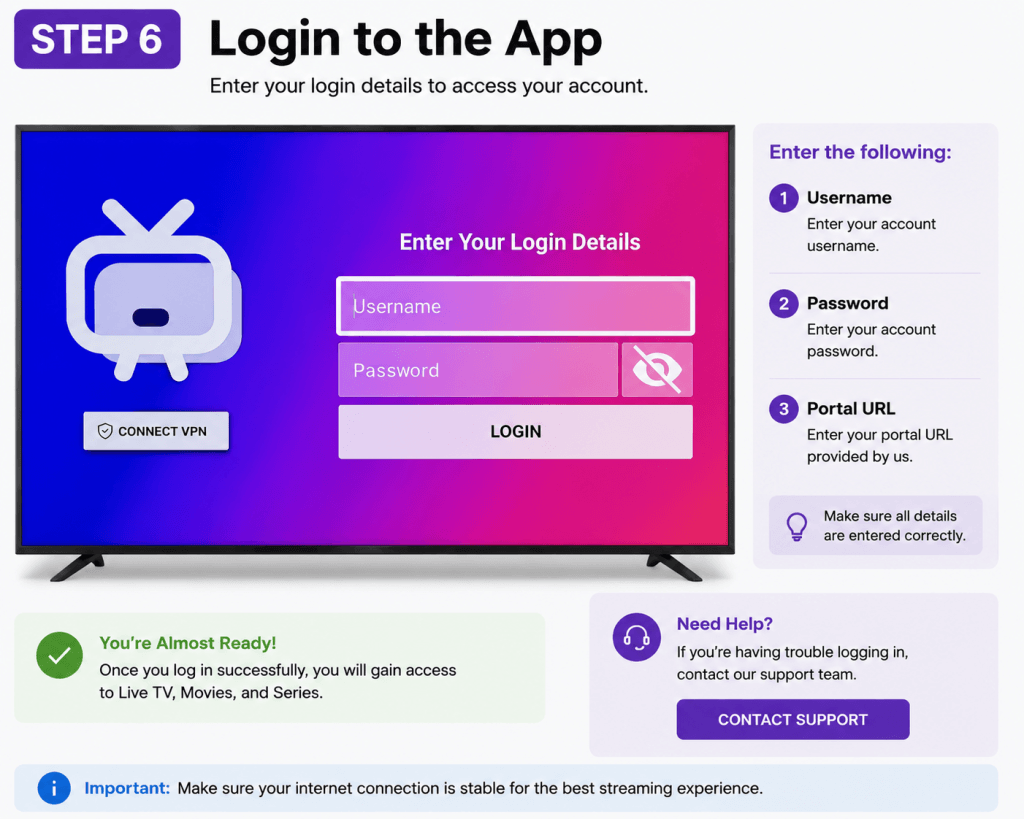
📱 Option 1: Generic Smarters
Username
Password
Portal URL: http://kytv.xyz
This is the recommended method for Smarters apps
📺 Option 2: TiviMate
Xtream Codes Login (if available)
Username
Password
Server URL: http://kytv.xyz
OR use M3U Playlist if required
Most customers complete the Fire TV Stick setup in 5 to 10 minutes. If this is your first time using a Fire TV Stick, it may take a few extra minutes to connect to Wi-Fi, install the Downloader app, and sign in to Logan Vision.
Yes. The Downloader app is required to install the Logan Vision app on your Amazon Fire TV Stick. If you don’t already have Downloader installed, this guide walks you through each step before installing Logan Vision.
New Fire TV Stick devices may hide the Developer Options menu by default. This guide shows you how to enable Developer Options so you can allow app installations before continuing with the setup.
Double-check that you entered your username, password, and Portal URL exactly as provided in your activation email. If you’re still unable to sign in, contact Logan Vision Support and we’ll help you get connected.
Yes. You can install Logan Vision on multiple Fire TV Sticks, provided your subscription includes enough device connections. Simply repeat this setup guide on each supported device and sign in using your Logan Vision account credentials.
If you’re having trouble after setup, these step-by-step guides can help you quickly get back to streaming.
Experience Logan Vision on your Fire TV Streaming Device with live TV, movies, and TV shows. Start your risk-free trial today or explore our streaming plans.