 Secure Payments

PREMIUM STREAMING. MADE SIMPLE.
PREMIUM STREAMING. MADE SIMPLE.
Complete your Logan Vision payment safely and securely. Once your payment is received, we’ll quickly process your order and email your streaming setup information.
Secure Payments
Your information is protected.
⚡ Fast Processing
Most orders are completed within 24–48 hours.
📧Email Confirmation
Your streaming login details are delivered by email.
Whether you’re placing a new order or renewing your service, this step-by-step video will guide you through the entire process. Learn how to select the right plan, complete your order, submit your payment correctly, and receive your activation email so your service can be activated as quickly as possible. We recommend watching this video before placing your order.
It’s quick and easy. Follow the steps below to get started.
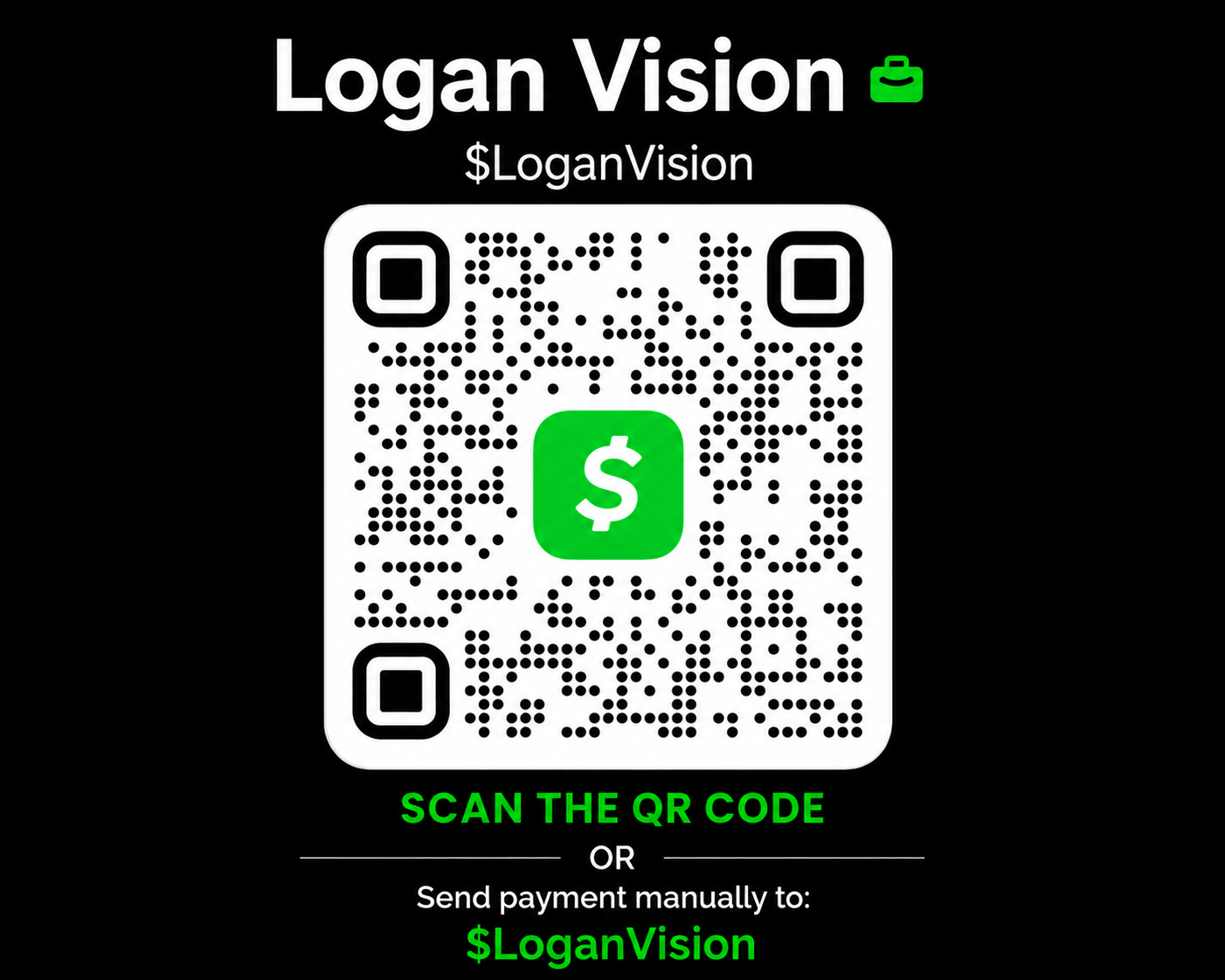
$LoganVision
Please include:
Example Format
Email: john.smith@gmail.com
Devices: 3
Plan: 3 Devices • 12 Months
After your payment is sent, we’ll verify your order and send your login details by email.
We securely receive your payment.
We verify your payment and order details.
Your subscription is activated or renewed..
Your streaming login details are emailed to you, along with simple setup instructions to get you started.
Typical Processing Time
Most Logan Vision orders are completed within 24–48 hours after payment verification.
Need assistance? Visit our Support Center or contact us if you have any questions.
Find quick answers about payments, activation, renewals, and your Logan Vision streaming login.
Submitting an order does not activate your Logan Vision service. Your payment must be received and verified before your order can be processed.
Use the payment instructions on this Billing Center page, then Logan Vision will process your order after payment is verified.
Please include the email address used for your order, the number of devices, and your subscription length.
Providing this information helps Logan Vision match your payment to the correct order and process it faster.
Logan Vision will verify your payment and order information. After verification, your service will be activated or renewed.
Your streaming login information and setup instructions will then be sent by email.
Most Logan Vision orders are completed within 24–48 hours after payment verification.
Your streaming login information is emailed after your order has been processed.
If you are renewing your current service or returning to Logan Vision, complete your order and payment as directed.
Once payment is verified, Logan Vision will renew or reactivate your service and send any updated information you need by email.
No. Your Billing Center account and your Logan Vision streaming login are separate.
Use the streaming username and password sent in your Logan Vision activation email when signing into your streaming app.
If you are having trouble with your streaming login, visit the Login & App Access Center →
If this is your first time setting up Logan Vision, use the guided First-Time Setup page. It will help you choose your device, install the correct app, sign in, and test your service.
If your question is not answered above, use the Support & Knowledge Center for additional help.
We appreciate your business and look forward to providing you with a smooth and reliable streaming experience.
Logan Vision Support